For customers
Their number, who is being served and how many are ahead, with nothing to install.
Scan a QR code, take a number and follow the queue in the browser. No app, no account.
PEOPLE AHEAD2
Keep this page open to follow your turn.
Q-Flow replaces standing in line and wireless pagers. Customers scan a QR code for a number and wait anywhere nearby, and staff call them with one tap.
Their number, who is being served and how many are ahead, with nothing to install.
Everyone waiting on one board, with call and recall in one tap.
Branches and a team with permissions, plus wait and response reports.
With the phone camera. The number appears in the browser.
Who is being served and how many are ahead update live.
The page turns green. One tap on “I'm coming” tells staff.
Automatic numbering, or the cashier's number with a QR per order.
One tap updates the status and tells the customer.
If sending fails, the board says so and asks you to call the customer yourself or recall.
Staff confirm arrival, so the records stay accurate.
Real captures of the system running locally with demo data. The interface is in Arabic and English; captures are Arabic.
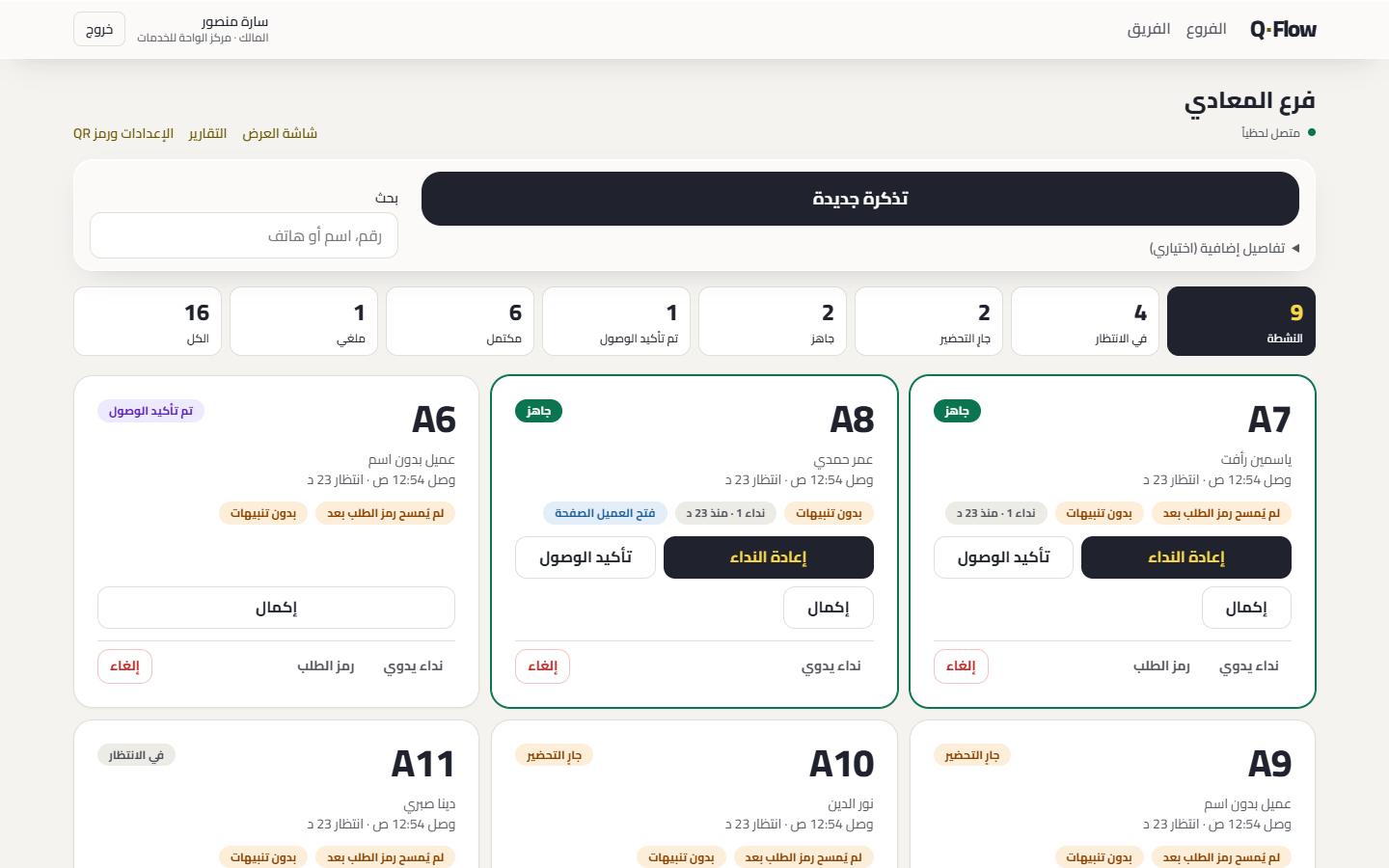
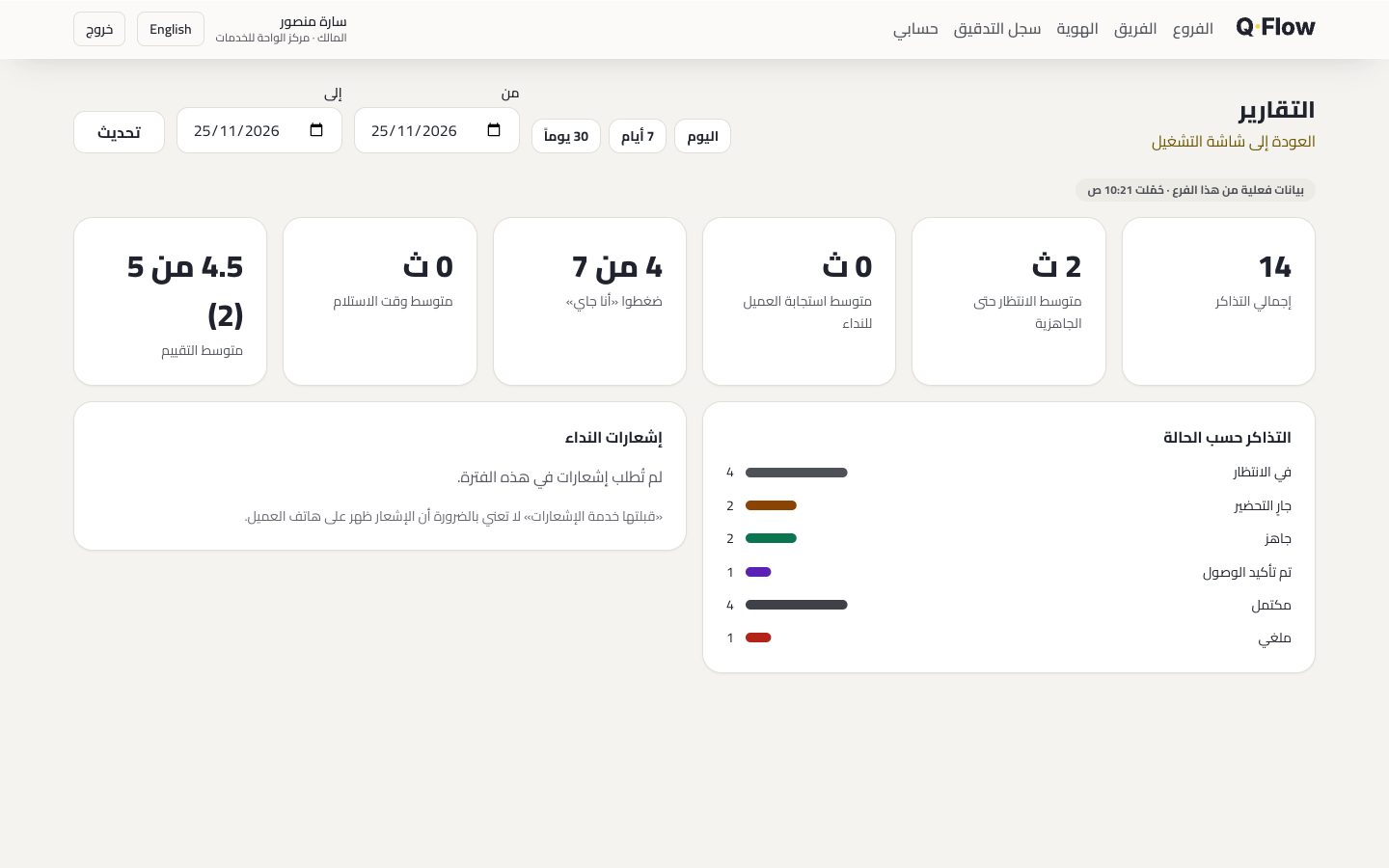
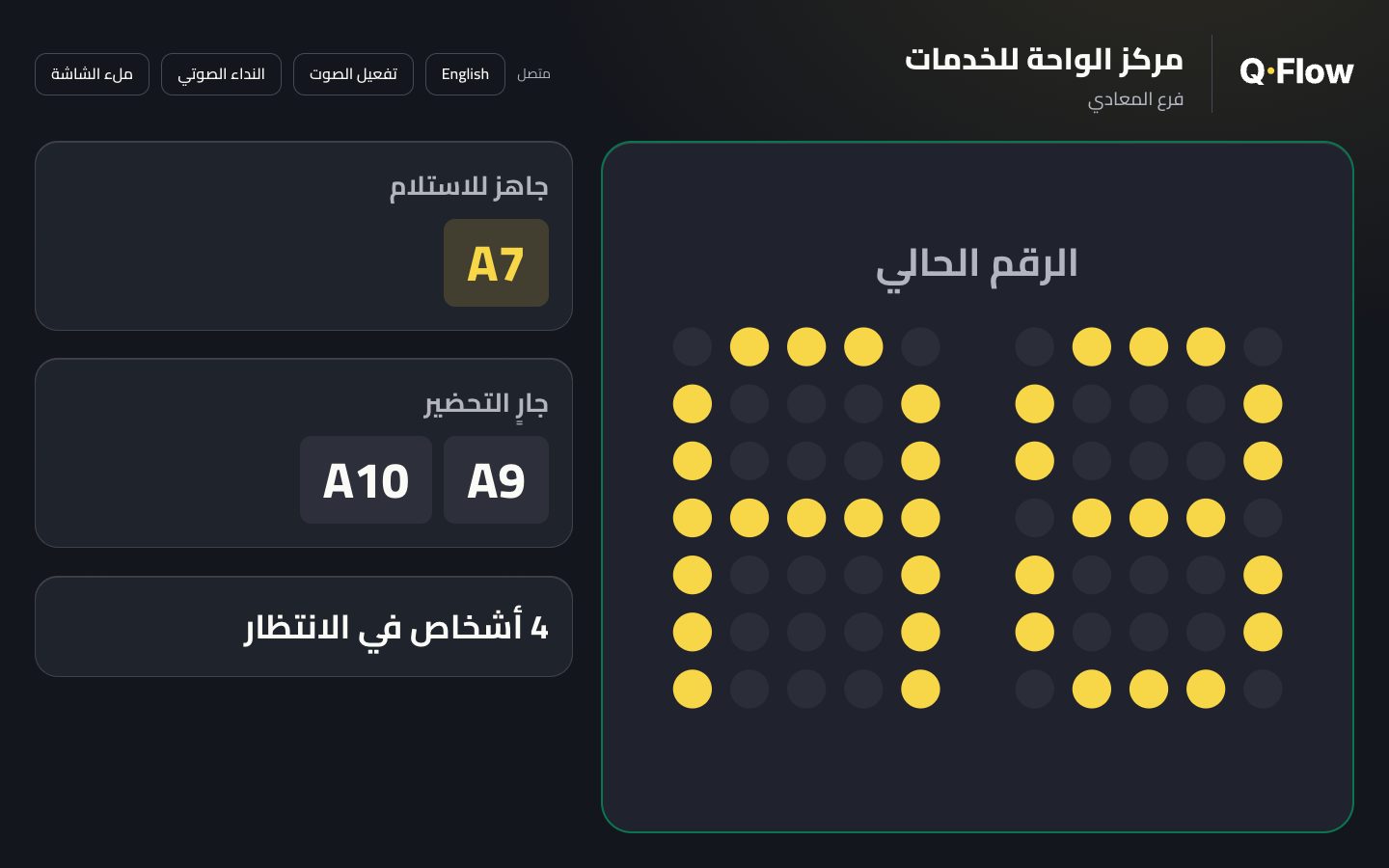
The board shows the furthest state we can prove for each call. If it fails, it asks staff to call the customer themselves, so nobody loses their turn.
Statuses are general, and wording adapts to the business type. No sector integrations are available yet.
Contact us. We set up your account and branch, you print the QR code and start your first queue.
No. The whole journey runs in the browser after scanning, with no install, account or phone number.
We don't guarantee that in a browser. Web Push is optional and depends on the device. Returning to the link restores the status from the server.
Tabs of one browser normally share a ticket, but two devices can't be linked, because customers give no identity.
The staff board shows the actual send result, asks staff to call out loud, and offers Recall with the number on the display.
Automated tests pass, but testing on real phones is still under way. We don't claim a device until it's proven.